
Adding line breaks in prompts
Find out how to turn off automatic message sending with the Enter key, or use the keyboard shortcut to create line breaks.
Updated on 2026-02-16
Method 1: Turn off sending with Enter in the settings
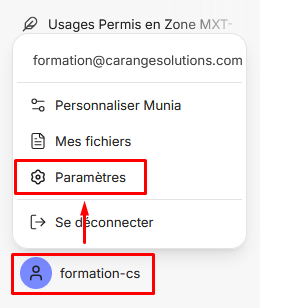
Step 1: Click your user name at the bottom left of the screen. In the menu that appears, select « Settings ».
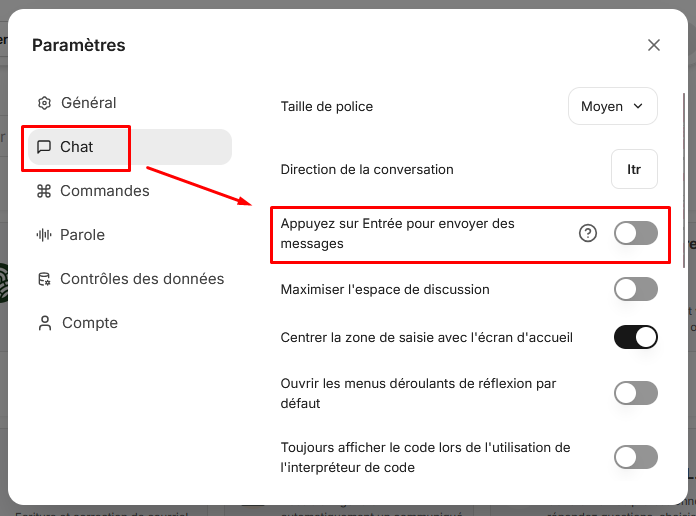
Step 2: Find the « Chat » section and turn off the « Press Enter to send messages » option.
Once this option is turned off, the Enter key automatically creates line breaks instead of sending your message.
Method 2: Use the keyboard shortcut (without changing the settings)
If you prefer to keep automatic sending with Enter but occasionally need to create a line break:
Hold down the Shift key and press Enter.
This shortcut works regardless of your settings and lets you create line breaks at any time.