Deleting all conversations from your Munia account
This tutorial walks you through erasing the complete history of your conversations in Munia.
Updated on 2026-02-16
Steps to follow
1. Open the settings
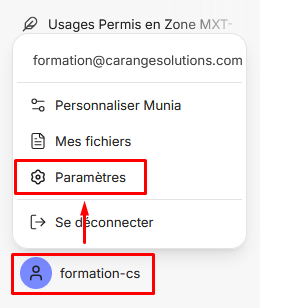
- Find your user name at the bottom left of the screen. Click your user name.
- A context menu appears.
- In the menu that appears, click "Settings".
2. Delete the conversations
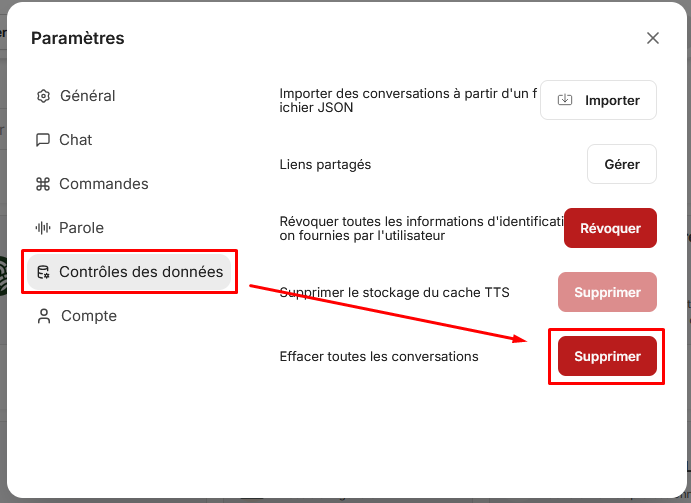
- Find the "Data controls" section in the settings window.
- Next to the "Clear conversations" option, click the "Delete" button.
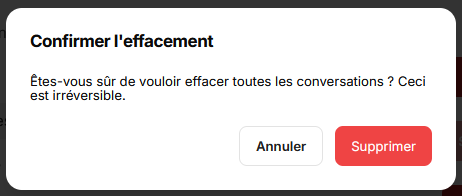
- A confirmation window appears. Click "Delete" to confirm.
Expected result
All your conversations in Munia will be permanently deleted from your account.
Important note
If your conversations do not appear to have been deleted after these steps, refresh the page.