
Web Search
Turn on web search to get up-to-date information directly in your Munia conversations.
Updated on 6 mars 2026
Why use web search?
By default, the artificial intelligence models in Munia do not search the internet. This is intentional: it gives you better control over where information comes from and prevents the AI from relying on irrelevant or incorrect data from the web.
However, some types of information change frequently and require a real-time search. Web search is particularly useful for:
- Available grant programs (provincial and federal), whose criteria and status change regularly
- Municipal events, which are continually added, changed or ended
- Any data subject to frequent change
Steps
Step 1 - Write your request
Write your prompt in the input area. You can use the microphone function to dictate your request.
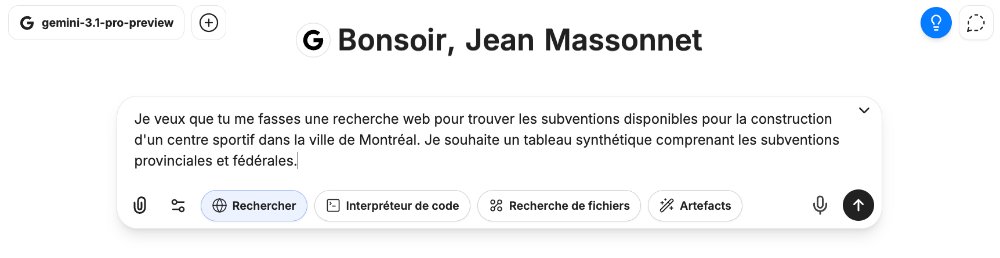
Example of the prompt used in the video: "I want you to do a web search to find the grant programs available for building a sports centre in the city of Montreal. I would like a summary table covering provincial and federal grant programs."
Step 2 - Turn on web search
Before sending your message, click the Search button, shown as a globe icon. This button turns on web search for this request.
Step 3 - Launch the search
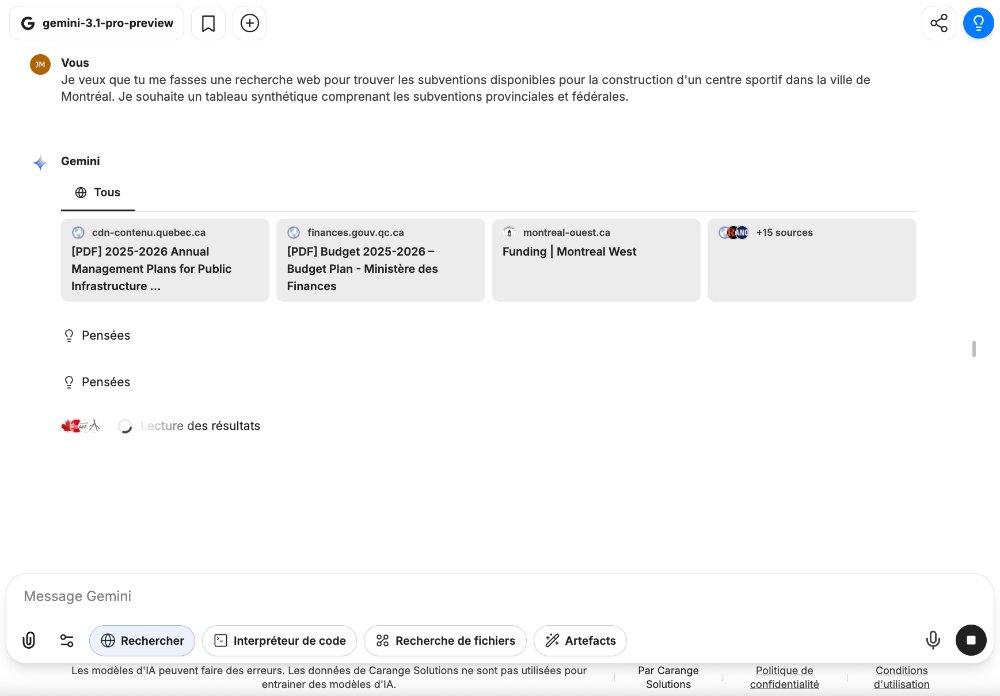
Send your message. You will see the number of sources consulted by the AI appear in real time (e.g.: +5 sources, then +13, then +26, etc.). Click this counter to see the full list of sources used.
Step 4 - Review the sources
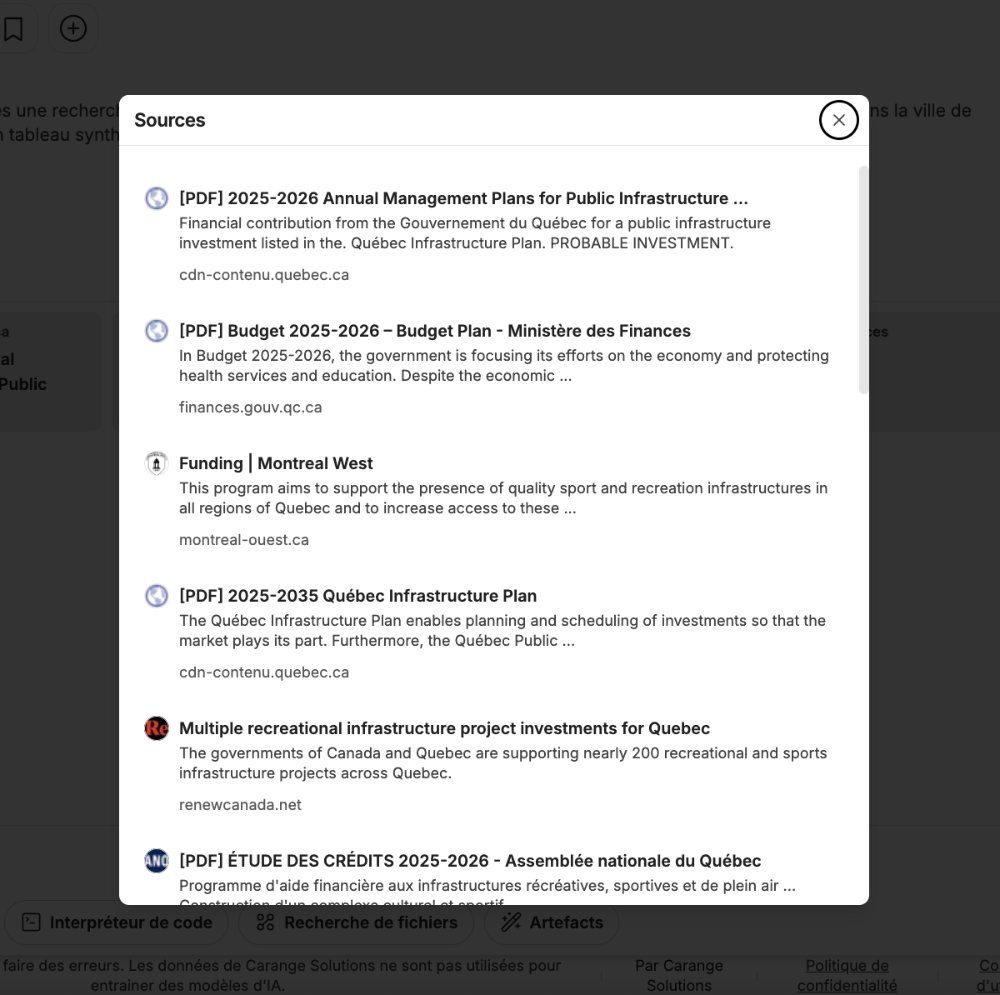
Once the answer is generated, you can click each source to go directly to the web page consulted. This lets you check how reliable the information is and dig deeper if needed.
Step 5 - Put the results to work
The answer is presented as a structured table. In the video example, you get:
- A table of provincial programs with the columns: program, responsible organization, type of project covered, eligible recipients, financial assistance, ceiling and status
- A table of federal programs with a similar structure
- The list of sources consulted, displayed at the bottom of the answer
Good to know
Web search uses more resources and takes longer than a standard answer. Save it for cases where the data must be recent. For general questions or drafting documents, web search is not necessary.
Going further 🚀
🎥 Next tutorial ➡️ 9 – Managing conversations/strong>